
One-on-One Appointments
- Smartphone Basics: How to set up a new smartphone, install apps, and customize settings
- Email Setup and Management: Creating, organizing, attaching documents, and managing email accounts/passwords
- Social Media: Setting up Facebook, Instagram, Twitter/X accounts, or managing privacy settings
- Video Conferencing: Help with Zoom or FaceTime
- Internet Browsing: How to search the web, use bookmarks, or manage browser settings
- Online Security: Password management, setting up two-factor authentication, strong passwords, basic scam avoidance
- Digital Privacy Settings: Adjusting privacy settings on social media, browsers, and apps
- Streaming Services: How to set up and use Netflix, Hulu, Disney+, and other platforms
- Microsoft Office: Microsoft Word and Microsoft Excel basics
- Google Suite: Google Docs and Google Sheets basics
To schedule your 20-minute appointment, call:
814-946-0417 x161
Hours: Wednesdays, 2pm – 4pm
Need More Practice?
If you would like to improve your mouse and typing skills, check out these practice websites:
Video Tutorials
Library Hours
Monday: 8:30AM – 8PM
Tuesday: 8:30AM – 8PM
Wednesday: 8:30AM – 5PM
Thursday: 8:30AM – 8PM
Friday: 8:30AM – 5PM
Saturday: 9:00AM – 4PM
Sunday: Closed
**The play areas in the Youth Room close 30 minutes before closing time each day.
Get in Touch
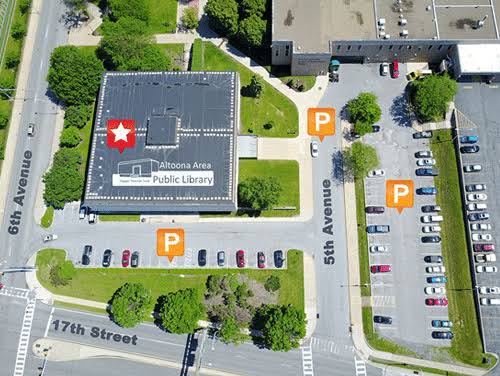
1600 5th Avenue, Altoona, PA 16602
814-946-0417
info@altoonalibrary.org